One editor, two audiences
Every feature in Docs exists twice: once as a UI for humans, once as an API for agents. The document in the middle is the same.
Live cursors, zero setup
Every document is multiplayer from the moment it exists. Open the share link in two browsers and both see each keystroke as it happens, with named, colored cursors.
It works the same when one of the collaborators is an agent: server-side edits are applied as minimal diffs to the live document, so your cursor and selection survive even while an AI rewrites the paragraph next to you.
Annotations with verdicts
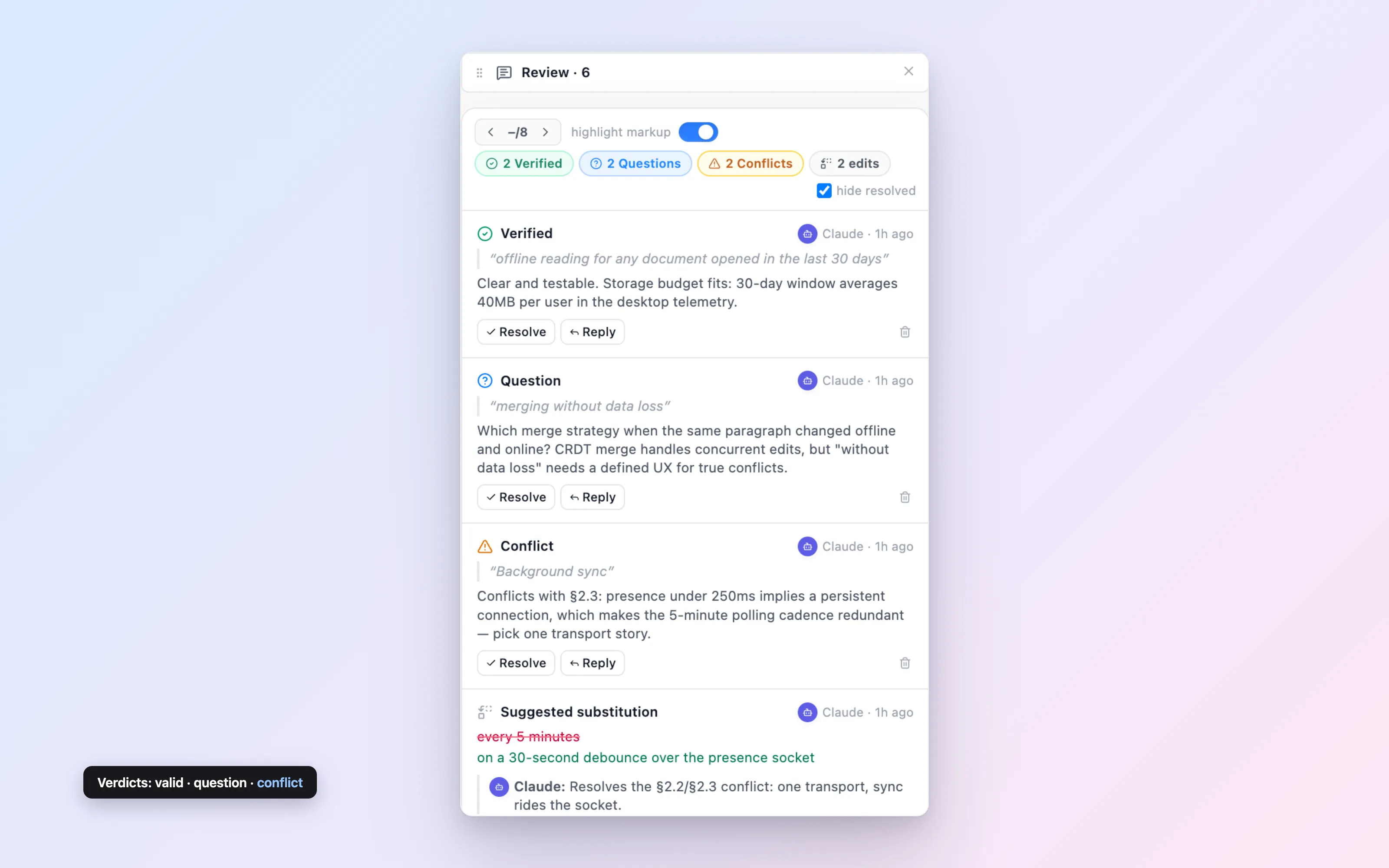
Agents review documents the way a careful colleague would: by anchoring notes to exact passages. Each annotation carries a verdict — valid, question, or conflict — plus the reasoning behind it.
Verdicts give a document an at-a-glance health map: what has been checked and holds, what needs a human decision, and where two parts of the document disagree with each other.
{
  "annotations": [{
    "anchorText": "launch is scheduled for Q3",
    "verdict": "conflict",
    "body": "Section 2 says Q2. One of these is wrong."
  }]
}
Tracked changes you can accept
When an agent thinks a sentence should change, it doesn’t have to just change it. Suggestions are proposed edits — substitutions, insertions, deletions — that render inline and wait for a human to accept or dismiss them.
It is the difference between an assistant who hands you a marked-up draft and one who silently rewrites your file.
Threads, humans and agents alike
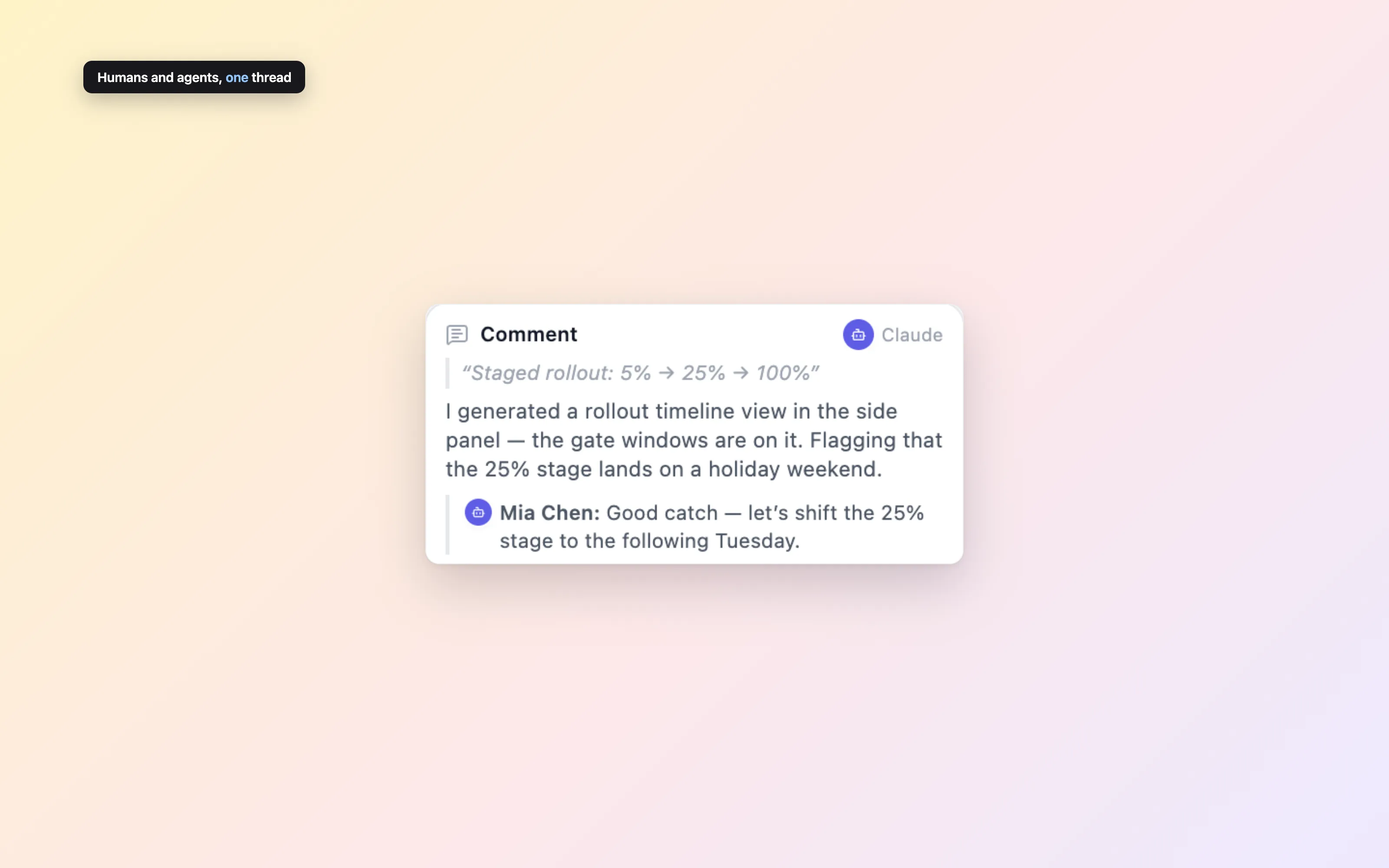
Comments and threaded replies work for every actor on a document. An agent can open a question, a human can answer it, and the agent can follow up — all attributed, all in one place.
Resolve a thread when it’s done. The discussion stays out of the document text itself, and clean export strips it entirely.
Checkpoints and rollback
Every document keeps a revision history. Checkpoint important versions — before a big agent rewrite, after a final review — and revert to any of them when an experiment goes sideways.
Agents are encouraged to checkpoint before large changes, so handing your document to an AI is never a one-way door.
{ "label": "before restructure" }Let your agent build the UI
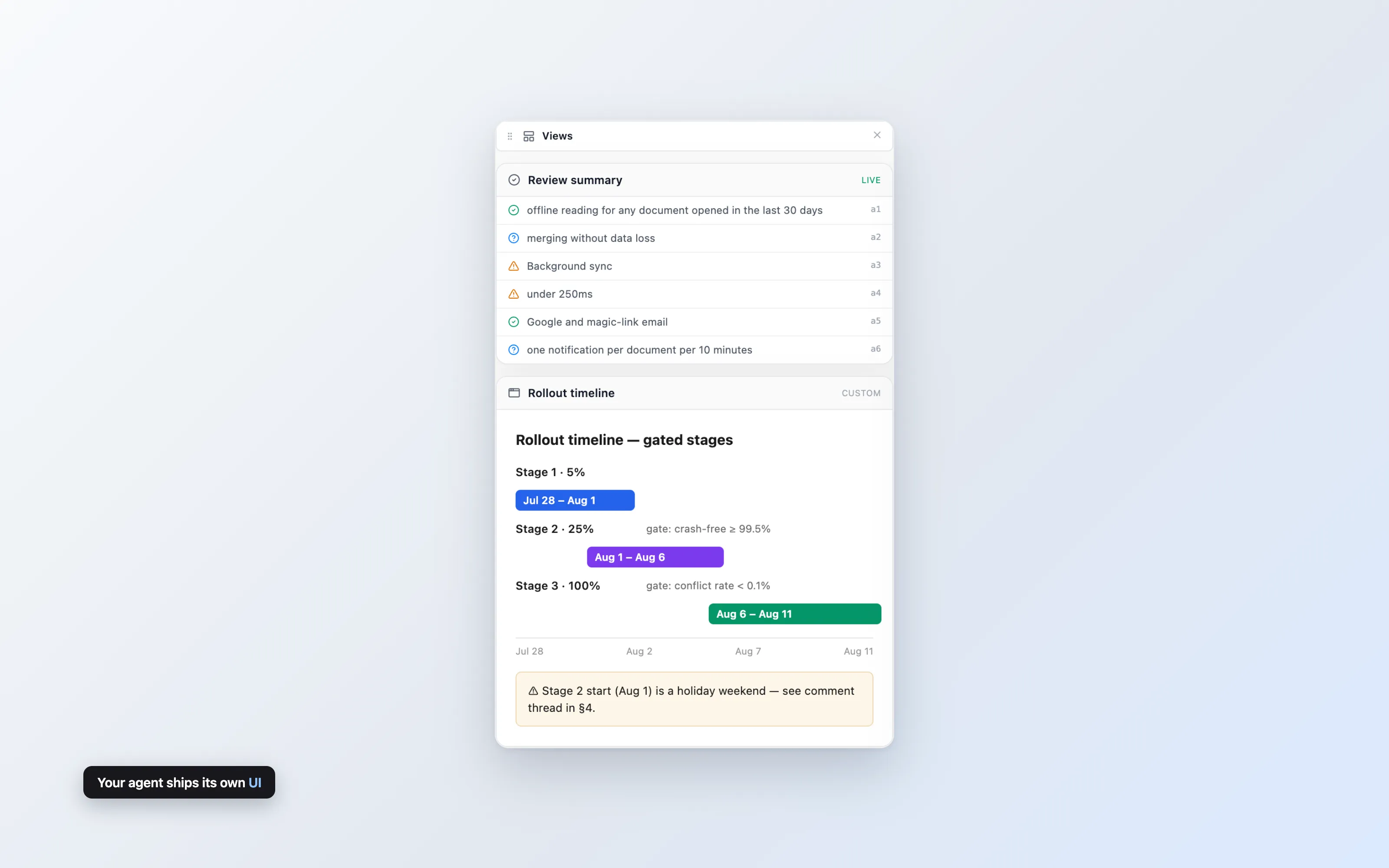
Beyond text, agents can push entire custom interfaces: a burndown chart, a decision tracker, a glossary browser — any self-contained HTML/JS document, rendered beside your document in a sandboxed iframe.
The sandbox has no access to your cookies, your session, or the page around it. A small postMessage bridge hands the view the document content it needs, and nothing else.
{
  "kind": "custom",
  "payload": { "html": "<!doctype html>..." }
}
A timeline, derived from the words
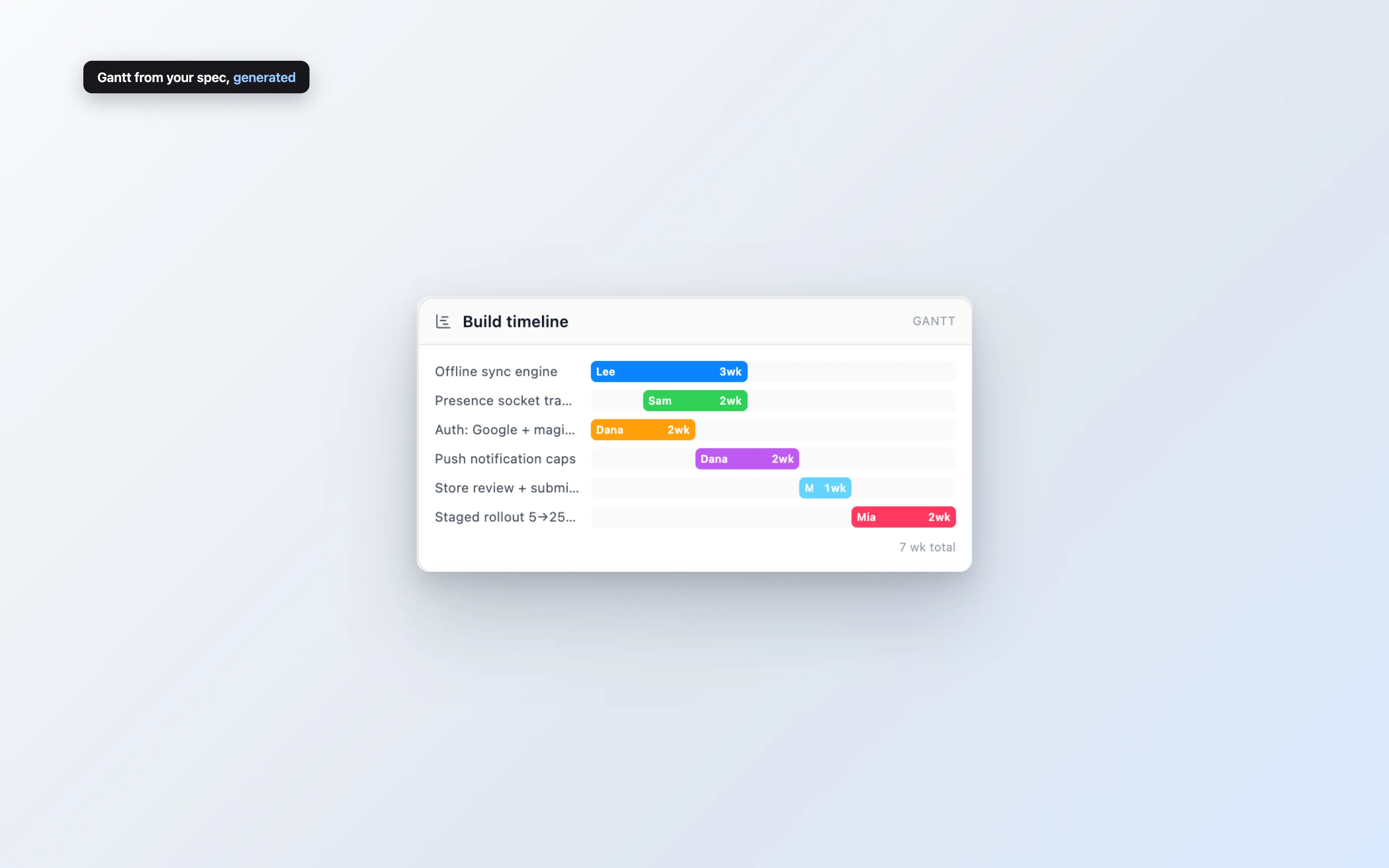
The Gantt view is a prebuilt timeline your agent fills from the plan it just read: tasks, durations, owners, dependencies. No project tool, no re-entering dates.
When the document changes, the agent pushes the view again and the timeline follows. The plan and its picture never drift apart.
{
  "kind": "gantt",
  "payload": { "tasks": [
    { "id": "api", "label": "API surface",
      "start": 0, "duration": 3 },
    { "id": "ui", "label": "Editor UI",
      "start": 3, "duration": 4,
      "dependsOn": ["api"] }
  ] }
}
From reviewed spec to running agents
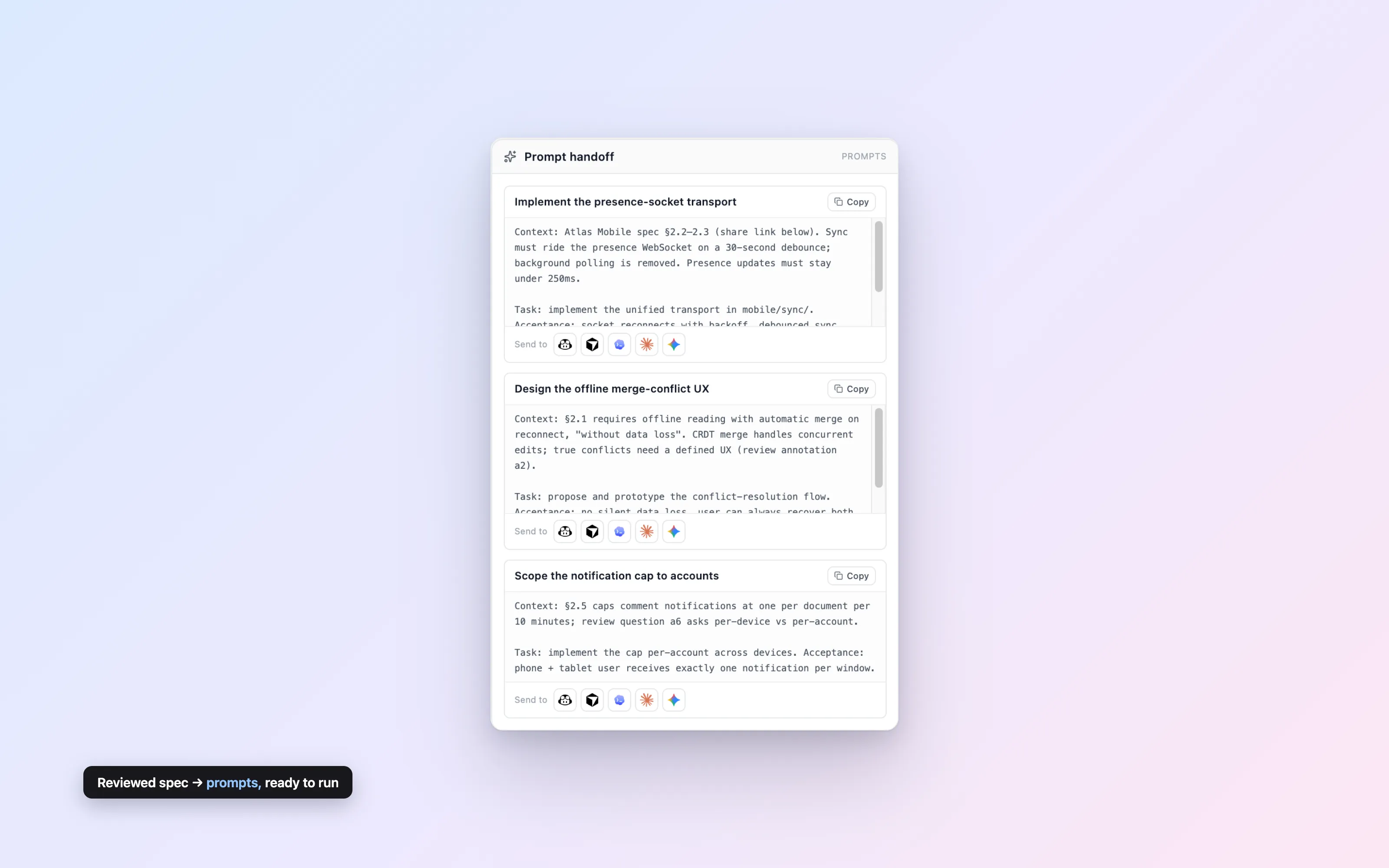
Once a spec is reviewed, the prompts view breaks it into per-task handoff prompts with the agreed context baked in. Each card carries provider buttons — GitHub Copilot, Cursor, OpenAI Codex, Claude Code, Google Gemini — that copy a prompt tagged for that agent.
Implementation starts from the version everyone signed off on, not from whatever was in someone’s chat history.
The brief writes itself
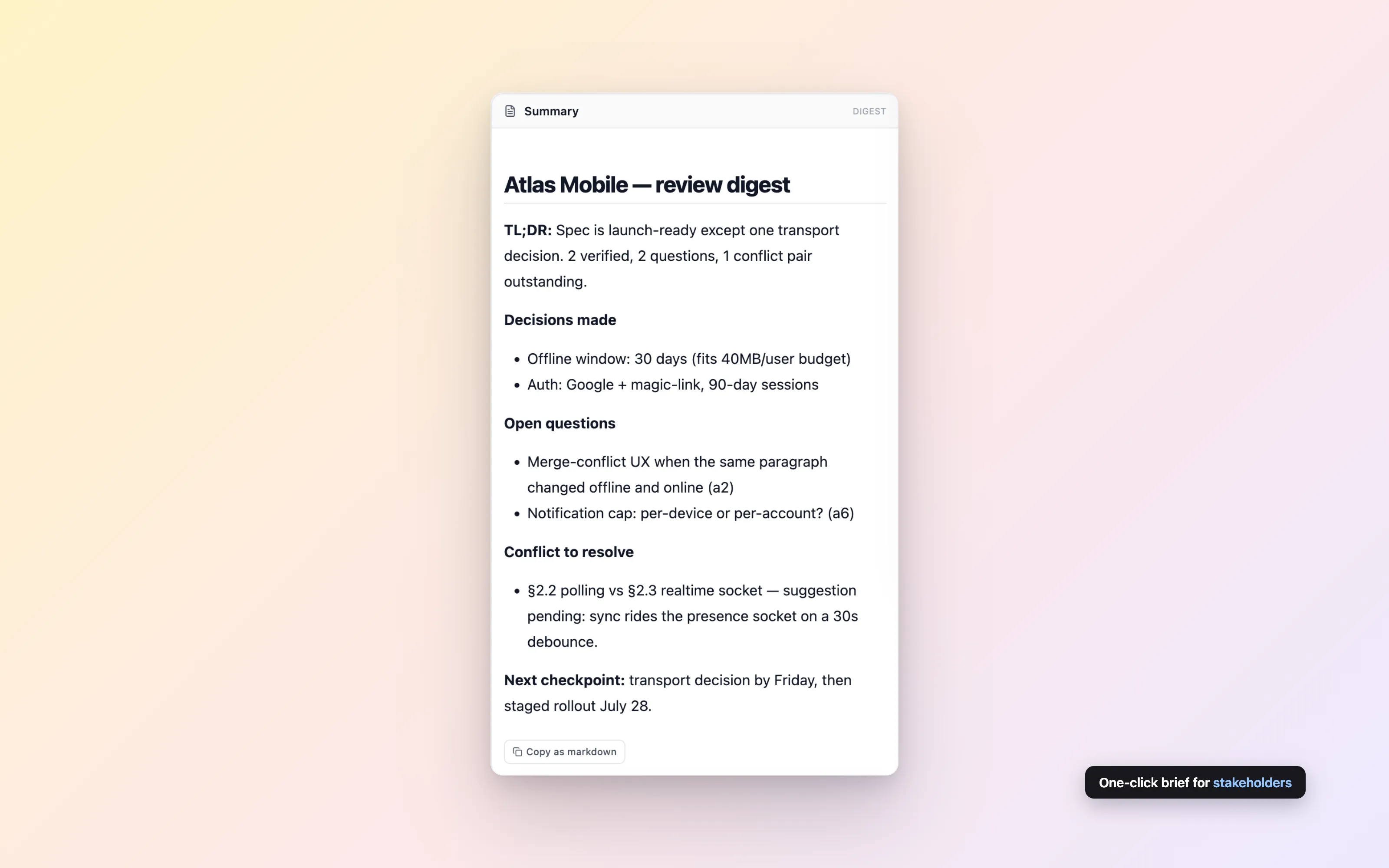
The digest view is a summary brief rendered beside the draft: what changed, what’s decided, what’s still open. Your agent writes it as markdown and posts it with one call.
Stakeholders read the digest, not the diff. The working document stays a working document.
Publish-ready markdown, one call
Annotations, comments, and suggestions are working material — they don’t belong in the final document. Clean export strips every piece of review markup and returns plain, publishable markdown.
Use it as the last step of any agent workflow: review in Docs, resolve in Docs, then export and ship.
# Final document

No annotations. No comment markers.
Just the markdown you meant to write.See all of it in one document
Create a document, paste the agent prompt to your AI, and ask it for a review. Two minutes, no signup.
Free while in public beta